AI Agent Performance Evaluation
We have prepared a new statistics section that will allow you to track the performance of your AI Agent and help you understand how to adjust its behavior more effectively.
You will be able to monitor the quality of responses and automation results, ensuring that your customers receive excellent service. To do this, go to "Statistics" > "AI Agent".
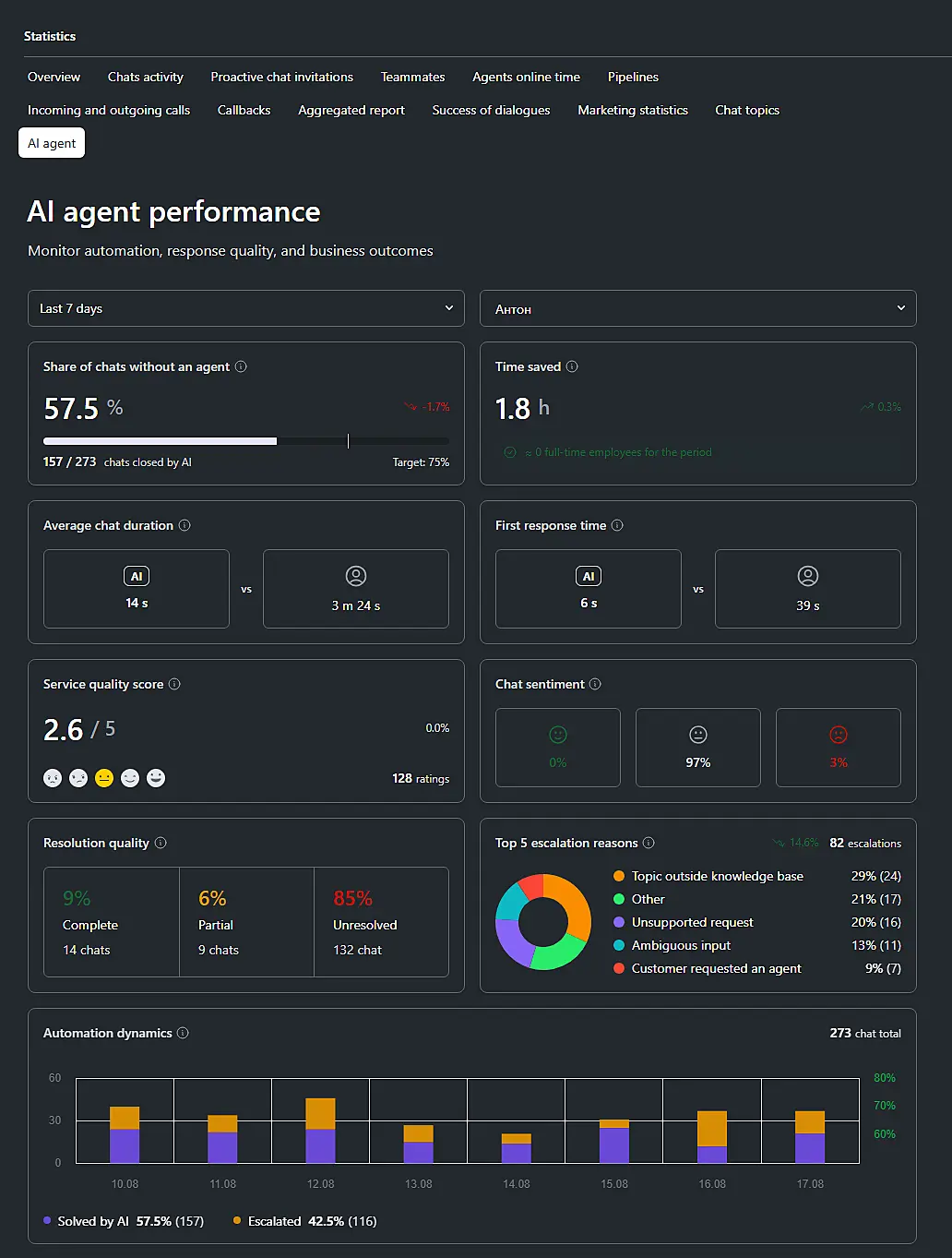
You can select the period you want to analyze to evaluate the performance of the AI Agent: today, yesterday, the last 7 days, the last 30 days, or a custom period.
Next to each metric, you will see a percentage representing the change in the metric compared to the previous period of the same duration.
Below, we describe each statistics block:
Percentage of dialogues without an agent#
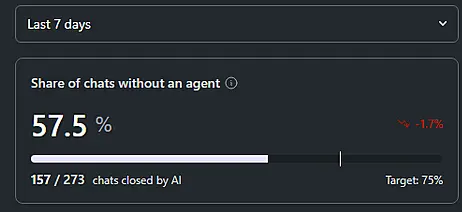
This represents the proportion of chats that the AI Agent resolved autonomously, without requesting the participation of a human agent. The higher this indicator, the less often an employee's assistance is required to resolve the customer's issue.
The block has a target of 75%. According to our research, this is considered the level of mature automation.
We recommend evaluating this indicator together with "Solution Quality" and "Service Quality Score". This will help you determine whether the AI Agent is providing an appropriate consultation when it ends the chat on its own.
Time saved#
Shows the total duration of chats closed without the participation of an employee, i.e., how many hours of work were saved for agents.
The equivalent number of employees is calculated as follows:
hours saved / (8 × number of days in the selected period)
The higher the value of this metric, the more potential workload the AI Agent has taken off the team. However, keep in mind that the duration of a dialogue does not always correspond to the actual working time of an employee. We recommend analyzing this value together with the volume of dialogues.
Average dialogue duration#
This is calculated as the duration from the customer's first message to the end of the dialogue. This block compares the average duration of chats handled exclusively by the AI Agent with chats involving a human agent.
Keep in mind that the duration also includes the time the customer spends waiting to respond.
We recommend evaluating this parameter together with "Solution Quality", as very short dialogues may indicate that the customer's issue was not resolved.
First response time#
Shows the average time between the customer's message and the first response. As in the previous block, this metric compares chats handled exclusively by the AI Agent with chats involving a human agent.
The lower the value, the faster the customer receives a response to their request. To evaluate the usefulness of these responses, we recommend analyzing this metric together with "Service Quality Score".
Service quality score#
The AI analyzes the dialogue with the customer and assigns a score from 0 to 5. Only dialogues involving the AI Agent are taken into account. The analysis considers:
- Dialogue context.
- Customer's tone.
- Negativity or gratitude.
- Implicit dissatisfaction.
- Sarcasm and passive aggression.
- Final outcome, if the dialogue involved multiple topics.
- Linguistic and cultural aspects of communication.
A dialogue may receive a score of "0" if the customer's emotions could not be identified, if the dialogue was uninformative or unrelated to the purpose of the interaction, or if the AI Agent is not confident in the accuracy of the assessment.
The dynamics of this metric can help evaluate changes to the knowledge base or AI Agent settings.
Please note: this is an assessment made by AI, not by the customer.
Dialogue sentiment#
The AI analyzes the customer's sentiment in a dialogue that was completed without the participation of a human agent. Three states are identified: positive, neutral, and negative.
If the sentiment cannot be determined, it is classified as "Neutral".
Sentiment does not always correspond to solution quality, but it can serve as an indicator of problems with response quality or the customer's perception of the product.
Solution quality#
This block evaluates the outcome of the interaction with the AI Agent: whether the customer received a solution to their issue and whether the next steps are clear to them. There are three ratings: "Fully resolved", "Partially resolved", and "Not resolved".
Fully resolved: The customer received an answer to their main question. The answer is correct and sufficient to solve their issue.
Partially resolved: The customer received assistance, but it was not sufficient. For example:
- Only part of the issue was resolved.
- The answer was too general.
- An important detail was omitted from the response.
- The customer did not receive enough information.
Not resolved: The customer did not receive a solution. For example:
- There was no answer, or the answer was unrelated to the issue.
- The AI Agent used unverified facts or performed unverified actions.
- The customer left before receiving an answer.
- The issue required a transfer to a human agent, but the customer still did not receive a solution.
Please note: this parameter evaluates the outcome for the customer, not the politeness or tone of the communication. A customer's gratitude does not always mean that their request was fully resolved.
This metric allows you to evaluate the quality of automation and identify when the AI Agent is actually helping users rather than simply ending the chat.
Top 5 transfer reasons#
The main reasons why the AI Agent requests the participation of a human agent in the dialogue. The block shows the 5 most frequent reasons during the selected period.
Possible reasons include:
- Customer requested an agent.
- Topic outside the knowledge base: The AI Agent could not find the required information in the available knowledge base.
- Complex request: The customer's question is too complex for the AI Agent to resolve autonomously.
- Customer complaint: The visitor explicitly complains or requests that the situation be escalated.
- Customer dissatisfaction: The user is irritated or dissatisfied, even if they do not express it directly.
- Expert assessment required: A professional assessment from a human agent is required.
- Payments and refunds: The issue is related to payments, charges, subscriptions, refunds, promo codes, or balance.
- Agent action required: An action must be performed that can only be completed by a human agent. For example, changing an order, submitting a request, or updating data.
- Unsupported request: The AI Agent does not support this type of question, or it is outside its area of expertise, such as a question about another product or service.
- Internal data verification: Information needs to be verified by a human agent, such as order status, delivery, booking, etc.
- Unclear request: The AI Agent cannot determine exactly what the customer needs.
- Policies and restrictions: The customer's request involves matters that the AI should not interpret or decide on autonomously.
- Not confident in the answer: The AI Agent understands the request but is not confident that it can provide a correct answer.
- Other.
These reasons help you understand how to improve the AI Agent's responses. For example, if "Topic outside the knowledge base" appears in the list, this may indicate that the documents and information available to the AI Agent need to be improved.
Automation dynamics#
The graph shows how the proportion of dialogues closed without the participation of a human agent has changed compared to those transferred to an agent.
When analyzing the performance of the AI Agent, we recommend evaluating all metrics together rather than relying on a single criterion.
A good automation result includes both the autonomous completion of dialogues by the AI Agent and high solution quality and positive customer sentiment.
Experiment with different settings and improve the efficiency of the AI Agent so that it provides maximum value to you and your customers!